
.png)
Description
Download Zoho WorkDrive – Secure Collaborative Workspace for Teams
Overview of Zoho WorkDrive
Zoho WorkDrive is a cloud‑based file management and collaboration platform built specifically for teams that need a secure, shared workspace. Unlike generic storage services, WorkDrive combines robust file‑handling capabilities with real‑time collaboration tools, all wrapped in an enterprise‑grade security model. Whether you’re a startup, a mid‑size company, or a large corporation, the solution scales to meet the demands of any organization. The platform integrates seamlessly with the broader Zoho ecosystem—Zoho Office Suite, Zoho Projects, Zoho Cliq, and more—allowing users to create, edit, comment, and approve documents without leaving the environment. This tight integration reduces context‑switching, speeds up decision‑making, and ultimately boosts productivity.
Security is at the core of Zoho WorkDrive. Files are encrypted both in transit (TLS 1.2) and at rest (AES‑256), and administrators can enforce granular permission policies, two‑factor authentication, and single‑sign‑on (SSO) via SAML or OAuth. Version history is retained for up to 90 days, giving teams the confidence to experiment without fearing data loss. Additionally, the platform offers activity logs and audit trails to satisfy compliance requirements such as GDPR, HIPAA, and ISO 27001.
The pricing model is tiered and flexible, starting with a free plan for small teams and scaling up to enterprise plans with advanced admin controls, custom branding, and unlimited storage. This makes Zoho WorkDrive a compelling alternative to Google Drive, Microsoft OneDrive, and Dropbox Business, especially for organizations already invested in Zoho’s suite of business apps. In the sections that follow, we’ll dive deeper into the feature set, installation steps, system compatibility, and the pros and cons that matter most to IT decision‑makers.
Key Features That Power Team Collaboration
- Real‑time co‑editing: Multiple users can edit documents, spreadsheets, and presentations simultaneously, with changes visible instantly.
- Team folders & workspaces: Create nested folders for projects, departments, or clients, and assign role‑based permissions (viewer, contributor, manager).
- Secure sharing links: Generate password‑protected, expiration‑based links for external collaborators, with optional download restrictions.
- Integrated Zoho Office Suite: Edit Office files directly in the browser using Zoho Writer, Sheet, and Show without needing Microsoft Office.
- Activity feed & notifications: Stay informed with real‑time alerts on file changes, comments, and access requests.
- Advanced admin controls: Enforce data loss prevention (DLP) policies, set retention rules, and manage SSO/2FA for all users.
- Offline access: Sync selected folders to your desktop or mobile device to work offline and auto‑sync when back online.
- Third‑party integrations: Connect WorkDrive with Zoho CRM, Zoho Projects, Slack, Microsoft Teams, and Zapier for workflow automation.
- Extensive file preview: View PDFs, images, videos, and CAD files directly in the browser without downloading.
- Search and AI‑powered suggestions: Powerful search filters and AI‑driven file recommendations help locate documents faster.
Each of these features is designed to reduce friction in the collaborative process. For example, the real‑time co‑editing capability eliminates the classic “version conflict” problem that plagues email‑based file exchanges. Meanwhile, granular permission settings ensure that only authorized personnel can view or modify sensitive corporate data. The built‑in activity feed acts as a digital “water cooler,” keeping everyone in the loop about project milestones and document revisions. Moreover, the ability to integrate with popular communication tools like Slack or Microsoft Teams means that alerts and file sharing can happen directly within the chat environment where teams already spend most of their time.
From a developer’s perspective, Zoho WorkDrive also provides RESTful APIs that enable custom automation, such as auto‑archiving old project folders or syncing files with on‑premise storage solutions. This flexibility is crucial for enterprises that need to align cloud services with existing IT policies and legacy systems. Overall, the feature set positions Zoho WorkDrive as a comprehensive, secure, and adaptable hub for modern teamwork.
Installation, Usage, and Compatibility
Getting Started – Simple Installation Steps
Downloading Zoho WorkDrive is straightforward. Visit the official Zoho WorkDrive page, click the “Download” button for your operating system, and follow the on‑screen wizard. For Windows and macOS, a native desktop client is available; for iOS and Android, you can install the mobile app from the respective app stores. After installation, sign in with your Zoho credentials or your corporate SSO provider. The first‑time setup wizard guides administrators through organization‑wide settings such as default storage limits, password policies, and integration toggles.
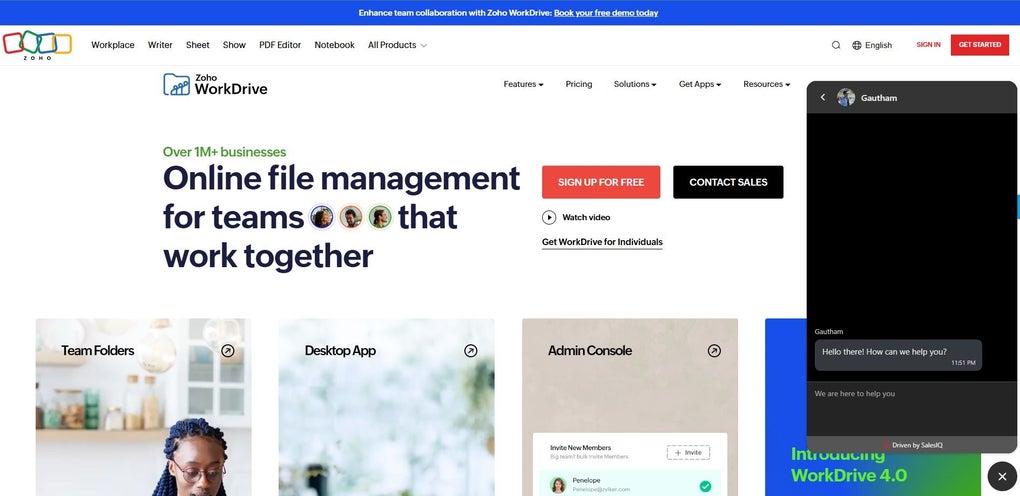
Once logged in, you’ll land on the dashboard where you can create new team folders, upload files, or start a document directly in Zoho Writer. The interface is clean, with a left‑hand navigation pane for quick access to recent files, shared with me, and starred items. Drag‑and‑drop support works across all platforms, making bulk uploads painless.
System Requirements and Operating System Support
Zoho WorkDrive supports the following platforms:
- Windows 10, Windows 11 (64‑bit)
- macOS 11 (Big Sur) and later
- Linux (via web browser; desktop client in beta)
- iOS 13+ (iPhone & iPad)
- Android 8.0+ (smartphones & tablets)
- Any modern web browser (Chrome, Firefox, Edge, Safari) for full functionality
Because WorkDrive is primarily a cloud service, most features are accessible through the web interface, ensuring that even users on unsupported operating systems can collaborate without a native client. However, for the best performance—especially with large file syncs—the dedicated desktop client on Windows and macOS is recommended. The mobile apps are optimized for low‑bandwidth environments, offering selective sync and background uploading to preserve data plans.
Usage Tips for Maximum Efficiency
To get the most out of Zoho WorkDrive, start by defining a clear folder hierarchy that mirrors your organization’s structure (e.g., Department > Project > Phase). Use the “Team Folder” feature to assign default permissions at the folder level, reducing the need to set permissions on individual files. Take advantage of the “Starred” feature to bookmark frequently accessed documents, and enable push notifications on mobile devices to stay aware of comments or access requests.
For administrators, the audit log is a powerful tool. Schedule weekly reports to monitor unusual activity, such as mass downloads or permission changes, and set up automated alerts for compliance-sensitive actions. Integrating WorkDrive with Zoho Flow or Zapier can automate repetitive tasks—like moving completed project files to an archive folder or syncing new documents with a CRM record.
Pros and Cons
- Pros:
- Robust security with end‑to‑end encryption and granular admin controls.
- Deep integration with Zoho Office Suite and other Zoho apps.
- Real‑time co‑editing eliminates version conflicts.
- Scalable pricing model suitable for businesses of all sizes.
- Cross‑platform support, including offline sync for desktop and mobile.
- Cons:
- Native Linux client still in beta, limiting some desktop workflows.
- Advanced DLP features are only available on higher‑tier plans.
- Learning curve for teams accustomed to Google Drive’s UI.
Frequently Asked Questions (FAQ)
Is there a free version of Zoho WorkDrive?
Yes, Zoho offers a free plan for up to 5 users with 1 GB of storage per user, which includes basic file sharing and collaboration features.Can I integrate WorkDrive with Microsoft Teams?
Absolutely. A native Zoho WorkDrive connector allows you to share files, receive notifications, and collaborate on documents directly within Teams.How does version control work?
WorkDrive automatically saves a new version each time a file is edited. Users can view, restore, or download previous versions for up to 90 days.What compliance certifications does Zoho WorkDrive have?
Zoho WorkDrive complies with GDPR, HIPAA, ISO 27001, and SOC 2 Type II, making it suitable for regulated industries.Is two‑factor authentication supported?
Yes, administrators can enforce 2FA via OTP, authenticator apps, or hardware tokens for all users.Conclusion – Why Zoho WorkDrive Is Worth the Download
In today’s remote‑first work environment, a secure, collaborative file hub is no longer a luxury—it’s a necessity. Zoho WorkDrive delivers on that promise by blending enterprise‑grade security, real‑time collaboration, and seamless integration with a suite of productivity tools that many organizations already rely on. Its flexible pricing model means that businesses can start small, test the platform, and scale up without facing surprise costs. While the Linux client is still maturing and some advanced security features require higher‑tier plans, the overall value proposition is strong, especially for teams already embedded in the Zoho ecosystem.
If you’re looking for a reliable alternative to Google Drive or Microsoft OneDrive that puts security and teamwork at the forefront, downloading Zoho WorkDrive is a logical next step. The quick installation process, cross‑platform support, and robust feature set ensure that you can get up and running in minutes, while the comprehensive admin controls give IT leaders the confidence to protect corporate data. Take advantage of the free tier to pilot the solution with a small group, then expand as you see productivity gains across the organization.
Ready to boost your team’s collaboration and protect your files? Download Zoho WorkDrive today and experience a secure, modern workspace built for the way teams actually work.
Guides & Tutorials for Zoho WorkDrive
How to install Zoho WorkDrive
- Click the Preview / Download button above.
- Once redirected, accept the terms and click Install.
- Wait for the Zoho WorkDrive download to finish on your device.
How to use Zoho WorkDrive
This software is primarily used for its core features described above. Open the app after installation to explore its capabilities.
User Reviews for Zoho WorkDrive 0
No reviews found




